Resource
MCP(Model Context Protocol)中的 resource(资源)是指:
服务器向客户端(如 LLM 应用)暴露的上下文数据或信息,供用户或 AI 模型使用。Resource 可以是数据库、文件、API 数据、用户信息等任何结构化或半结构化的数据。
MCP Python SDK 伪代码
假设用 MCP Python SDK 实现一个暴露“用户信息”的 resource,代码结构可能如下:
from mcp.server import MCPServer, Resource

class UserInfoResource(Resource):
    name = "user_info"
    description = "当前用户的基本信息"

    def get(self, context):
        # 返回用户信息
        return {
            "user_id": "12345",
            "name": "张三",
            "email": "zhangsan@example.com"
        }

server = MCPServer()
server.add_resource(UserInfoResource())
server.run()
客户端或 LLM 通过 MCP 协议就可以访问到 user_info 这个 resource,获取到结构化的用户数据。
典型用途
-
暴露数据库表、文件、API 结果等上下文数据
-
让 LLM 在推理时能用到这些数据
-
作为 prompt、工具等的输入
测试
让我们基于上一节的MCP服务器代码,本节我们将在上面添加Resource资源。
先在桌面创建一个mcp.txt文件,里面随便粘贴一段文本,然后保存
打开Cursor,输入Prompt:
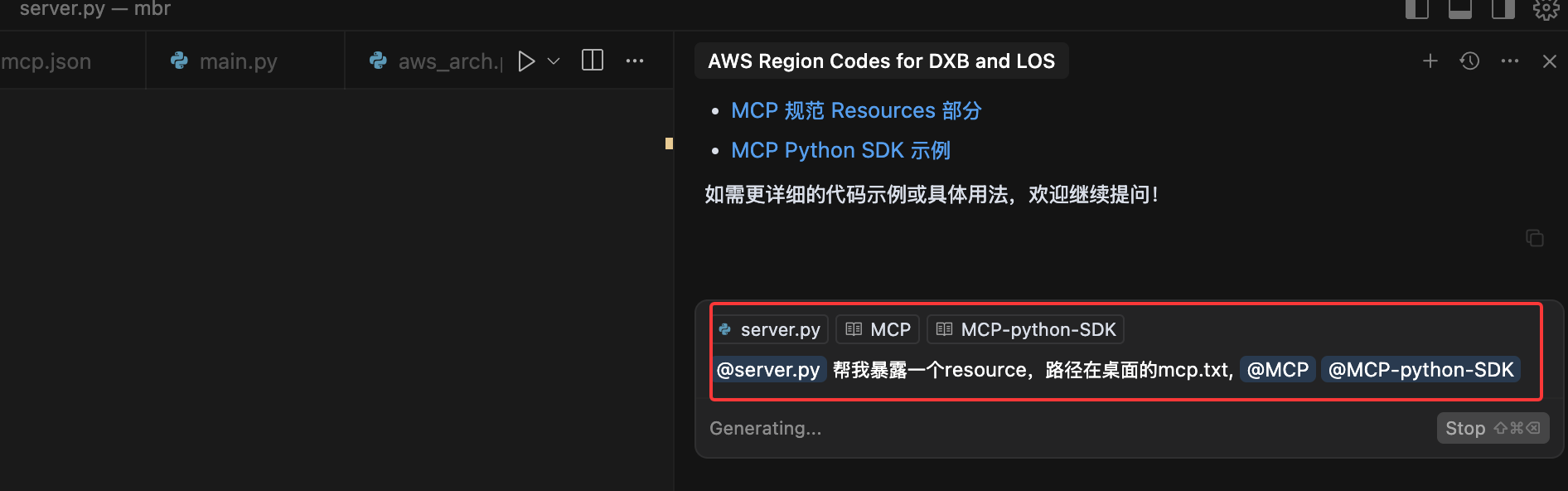
生成的代码内容如下,当然每次生成的内容可能并不完全一致:
# 获取桌面路径
desktop_path = os.path.join(os.path.expanduser("~"), "Desktop")
mcp_txt_path = os.path.join(desktop_path, "mcp.txt")

# 添加 Resource 支持
@mcp.list_resources()
async def list_resources():
    """列出可用的资源"""
    desktop_txt_uri = f"file://{mcp_txt_path}"
    return [
        Resource(
            uri=desktop_txt_uri,
            name="Desktop mcp.txt",
            description="文本文件位于桌面",
            mimeType="text/plain"
        )
    ]

@mcp.read_resource()
async def read_resource(uri: AnyUrl) -> str:
    """读取指定资源的内容"""
    uri_str = str(uri)
    expected_uri = f"file://{mcp_txt_path}"

    if uri_str == expected_uri:
        try:
            if os.path.exists(mcp_txt_path):
                with open(mcp_txt_path, "r", encoding="utf-8") as f:
                    return f.read()
            else:
                return "文件不存在,请在桌面创建 mcp.txt 文件"
        except Exception as e:
            return f"读取文件时发生错误: {str(e)}"
    else:
        raise ValueError(f"资源未找到: {uri}")