构建 Agent 原型 - I
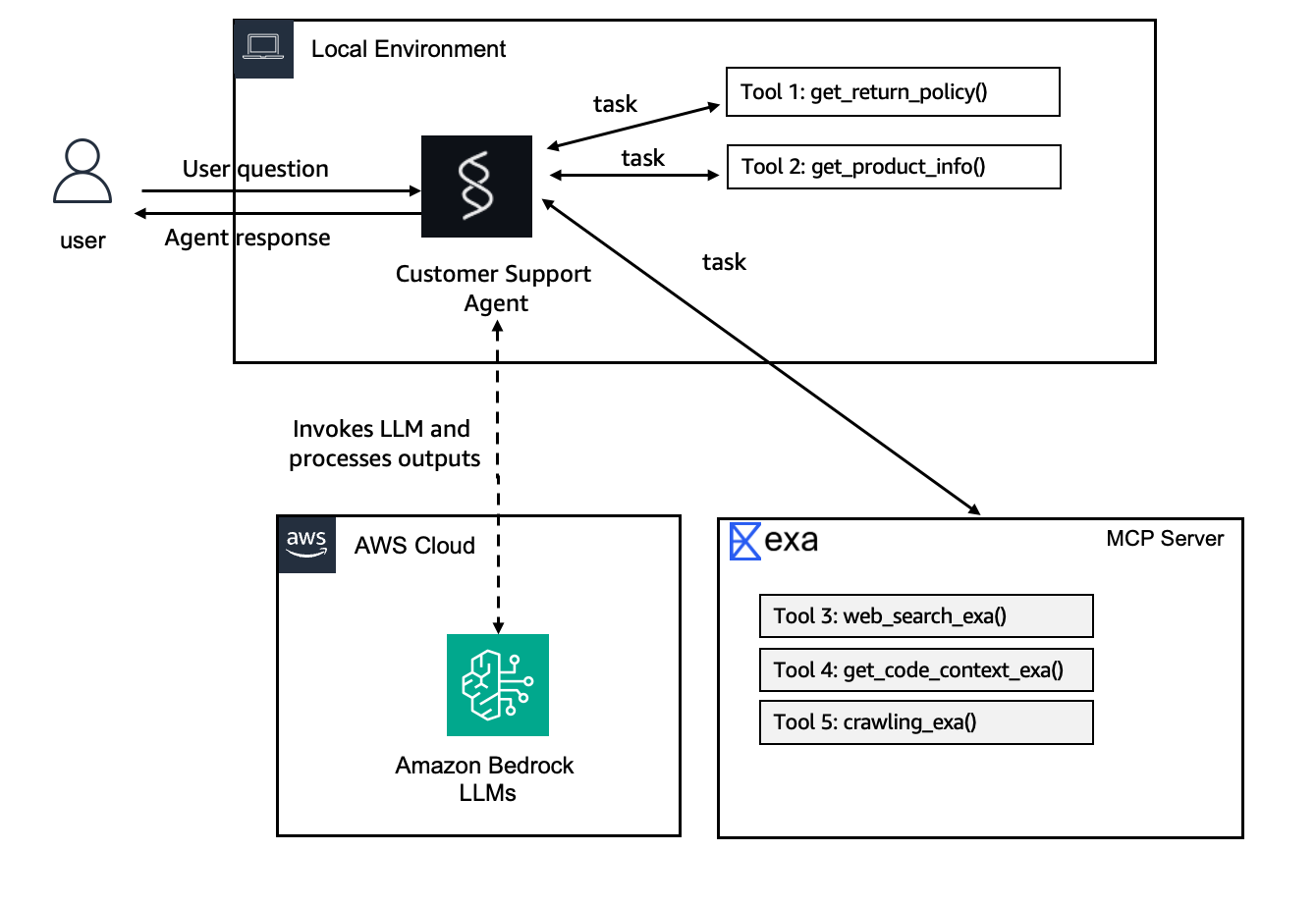
我们将为一家电商公司构建一个客户支持 agent 原型。该 agent 将能够使用三种专用工具处理常见的客户咨询:
get_return_policy()— 查询不同产品类别的退货政策get_product_info()— 搜索产品信息和规格Exa MCP Tools— 在网络上搜索故障排除帮助
架构如下所示:
我们将使用 AgentCore CLI 来搭建项目框架,然后使用这些工具自定义 agent。完成后,我们将拥有一个可以:
- 回答退货政策相关问题
- 查询产品详情
- 在网络上搜索故障排除信息
- 将工具结果与其知识相结合以提供有用回复的可运行 agent。
当我们向 agent 提问时会发生什么?
当客户询问类似 “我的耳机退货政策是什么?" 时,agent 会:
- 查询分析 — 分析客户的问题
- 工具选择 — 确定使用哪些工具(
get_return_policy) - 工具执行 — 使用正确的参数调用工具
- 响应综合 — 将工具结果与其知识相结合
- 质量检查 — 确保响应遵循系统提示指南
创建项目
打开本地IDE,比如kiro或cursor:
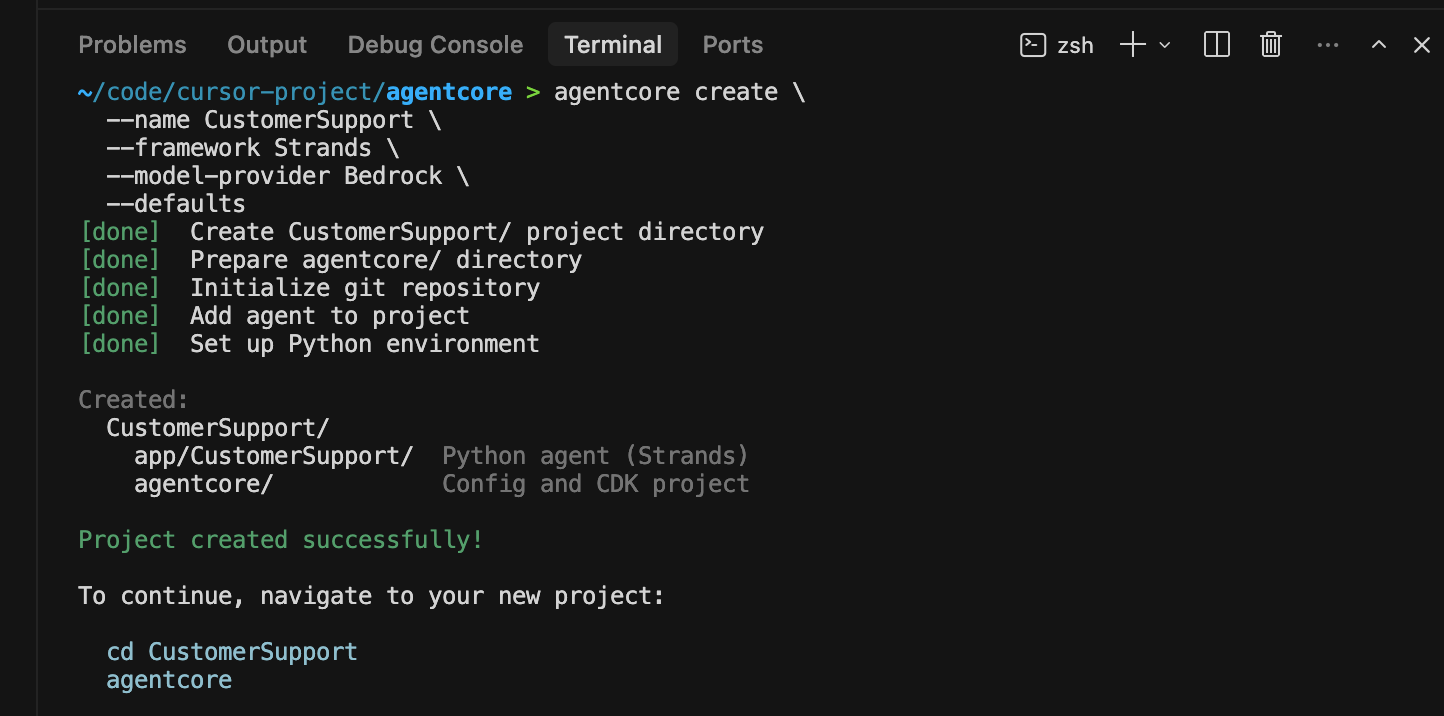
运行 agentcore create 命令来搭建新项目框架:
使用 --defaults 标志生成一个使用 Strands Agents SDK 和 Amazon Bedrock 作为模型提供商的 Python agent:
agentcore create \
  --name CustomerSupport \
  --framework Strands \
  --model-provider Bedrock \
  --defaults
不带标志运行 agentcore create 以启动交互式向导:
agentcore create
交互模式允许我们从以下选项中进行选择:
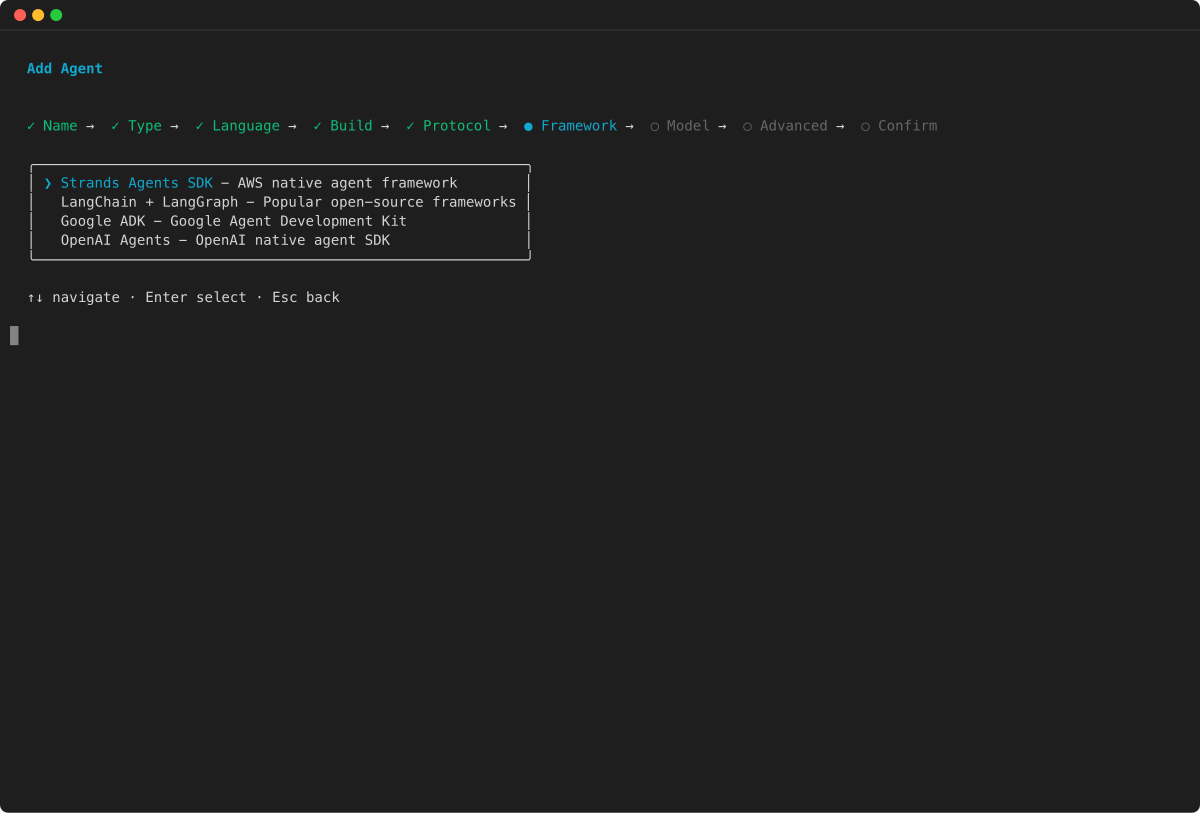
- Framework — Strands Agents、LangChain/LangGraph、CrewAI、Google Agent Development Kit (ADK) 或 OpenAI Agents SDK
- Model provider — Amazon Bedrock、Anthropic、OpenAI 或 Gemini
- Memory — 无、仅短期记忆,或长期和短期记忆
- Build type — CodeZip(默认)或 Container
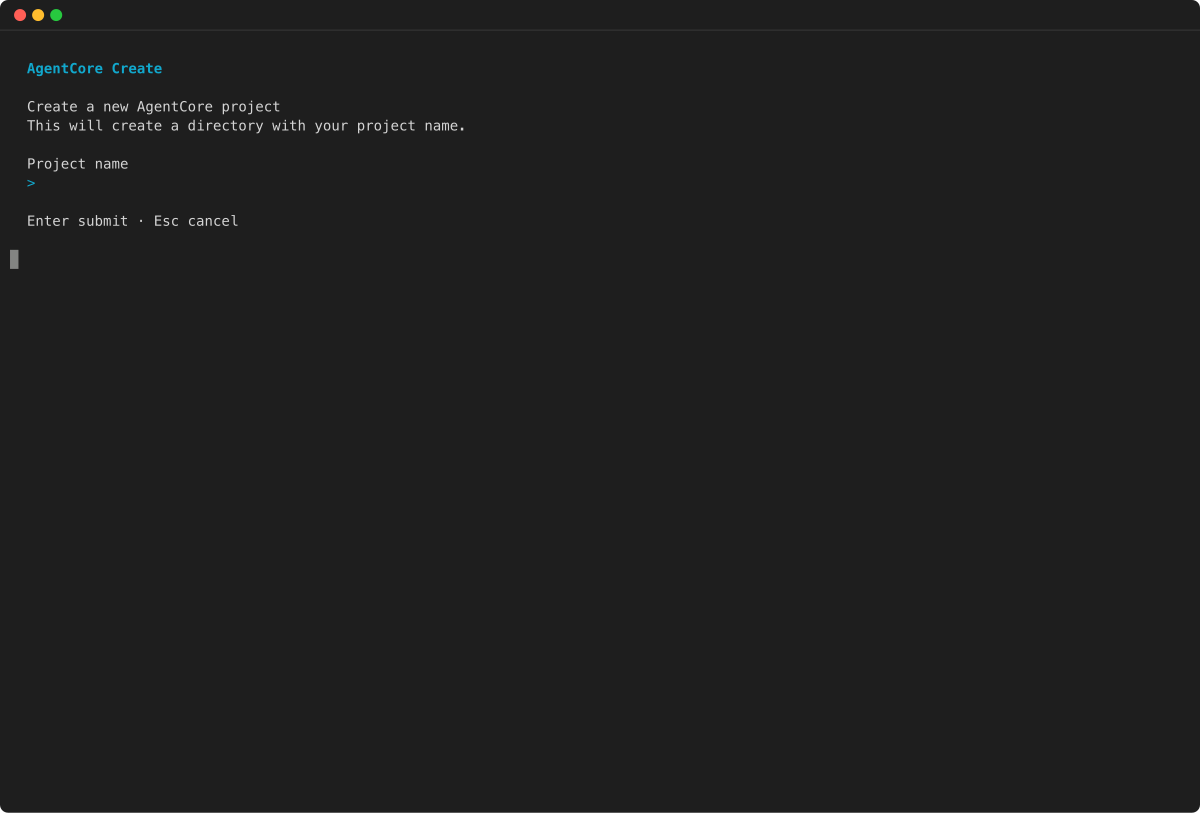
- 输入我们的项目名称:
- 选择 agent 框架和模型提供商:
- 查看配置并确认:
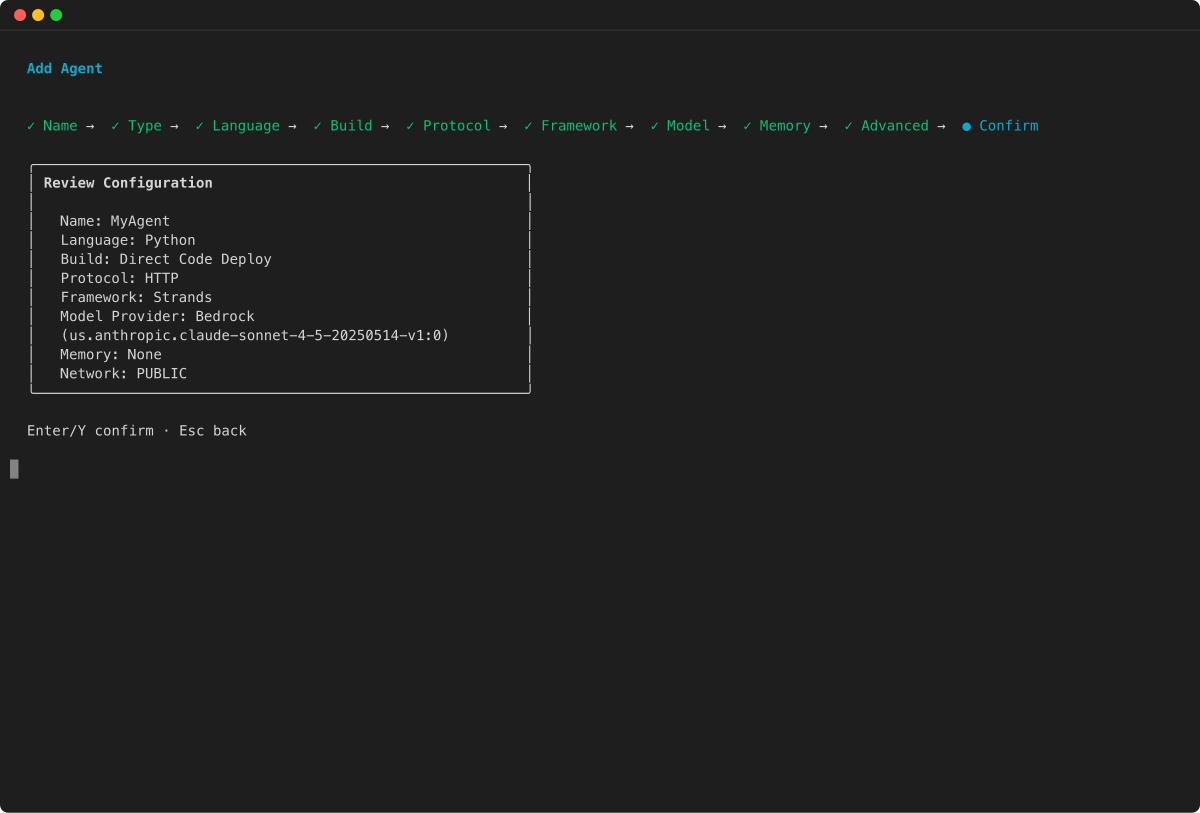
我们应该看到:
在IDE中看到完整的项目结构:
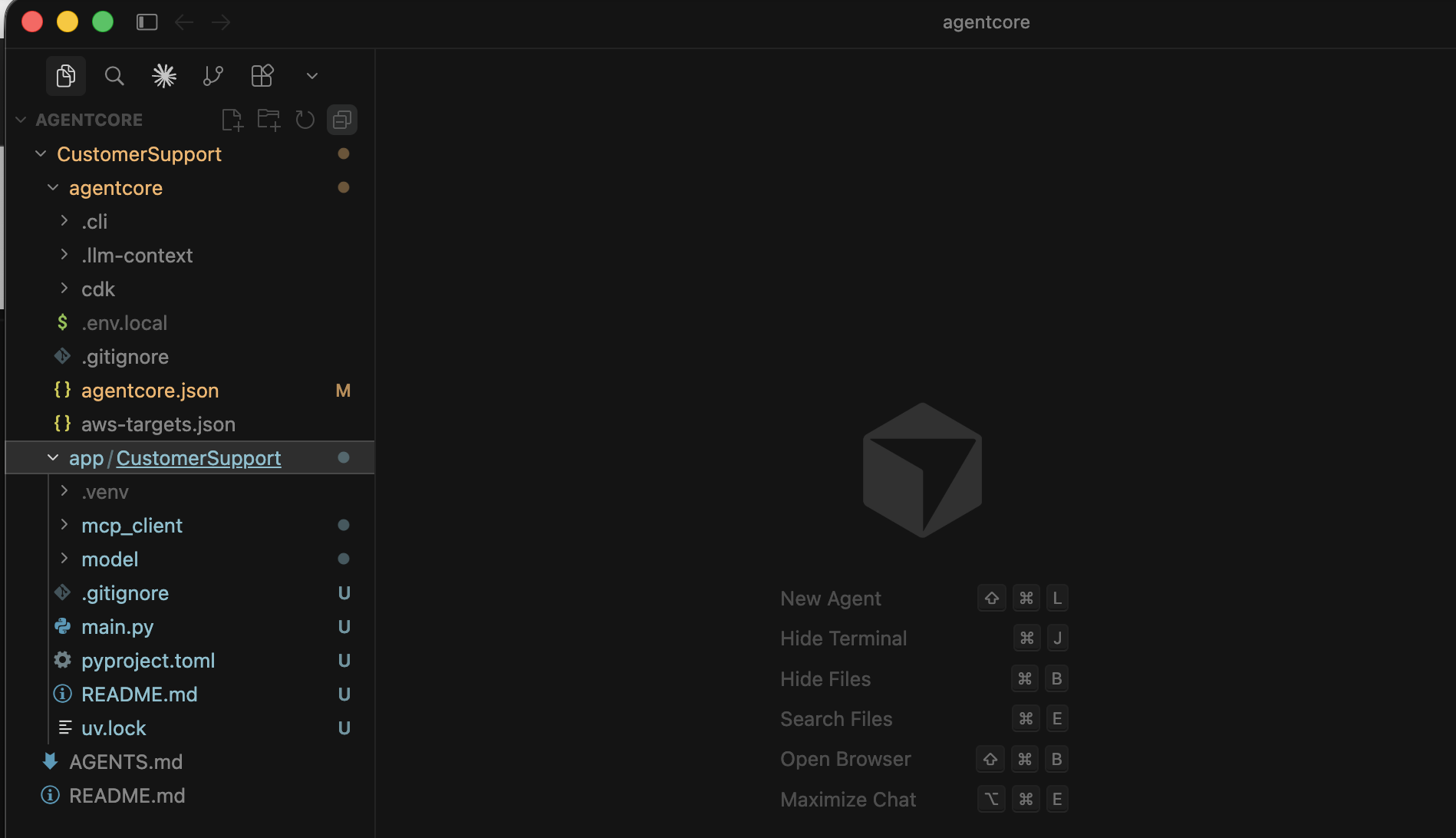
项目结构
生成的内容:
CustomerSupport/
├── AGENTS.md                          # AI 助手上下文文件
├── README.md
├── agentcore/
│   ├── agentcore.json                 # 主项目配置
│   ├── aws-targets.json               # 部署目标
│   ├── .env.local                     # API 密钥(已加入 gitignore)
│   ├── .cli/deployed-state.json       # 部署状态(自动管理)
│   ├── .llm-context/                  # TypeScript 类型定义
│   └── cdk/                           # CDK 基础设施
└── app/
    └── CustomerSupport/
        ├── main.py                    # Agent 入口点
        ├── model/load.py              # 模型配置
        ├── mcp_client/client.py       # MCP 客户端(Exa AI 网络搜索)
        └── pyproject.toml             # Python 依赖项
关键文件:
app/CustomerSupport/main.py — Agent 入口点。它创建了一个 Strands Agent,包含:
- 系统提示(“You are a helpful assistant”)
- 一个示例
add_numbers工具 - 连接到 Exa AI 进行网络搜索的 MCP 客户端
Exa AI 是一个专门为 AI 设计的搜索引擎——不是给人用的,是给 AI Agent/LLM 用的。
它的定义在这里:
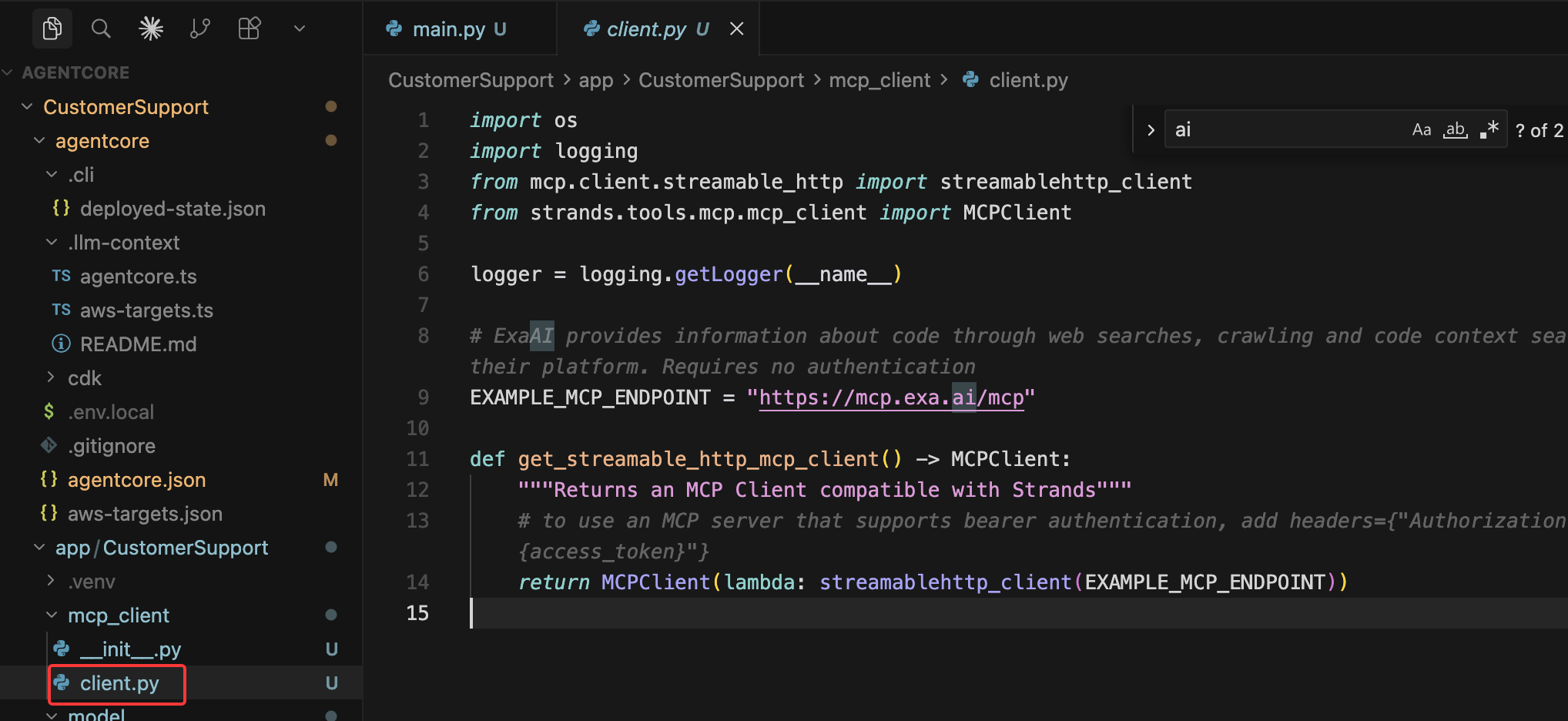
app/CustomerSupport/model/load.py — 模型配置。默认情况下,它通过 Amazon Bedrock 使用 Claude Sonnet 4.5。
里面代码如下
from strands.models.bedrock import BedrockModel


def load_model() -> BedrockModel:
    """Get Bedrock model client using IAM credentials."""
    return BedrockModel(model_id="global.anthropic.claude-sonnet-4-5-20250929-v1:0")
agentcore/agentcore.json — 定义 agents、memories、凭证和其他资源的项目配置。
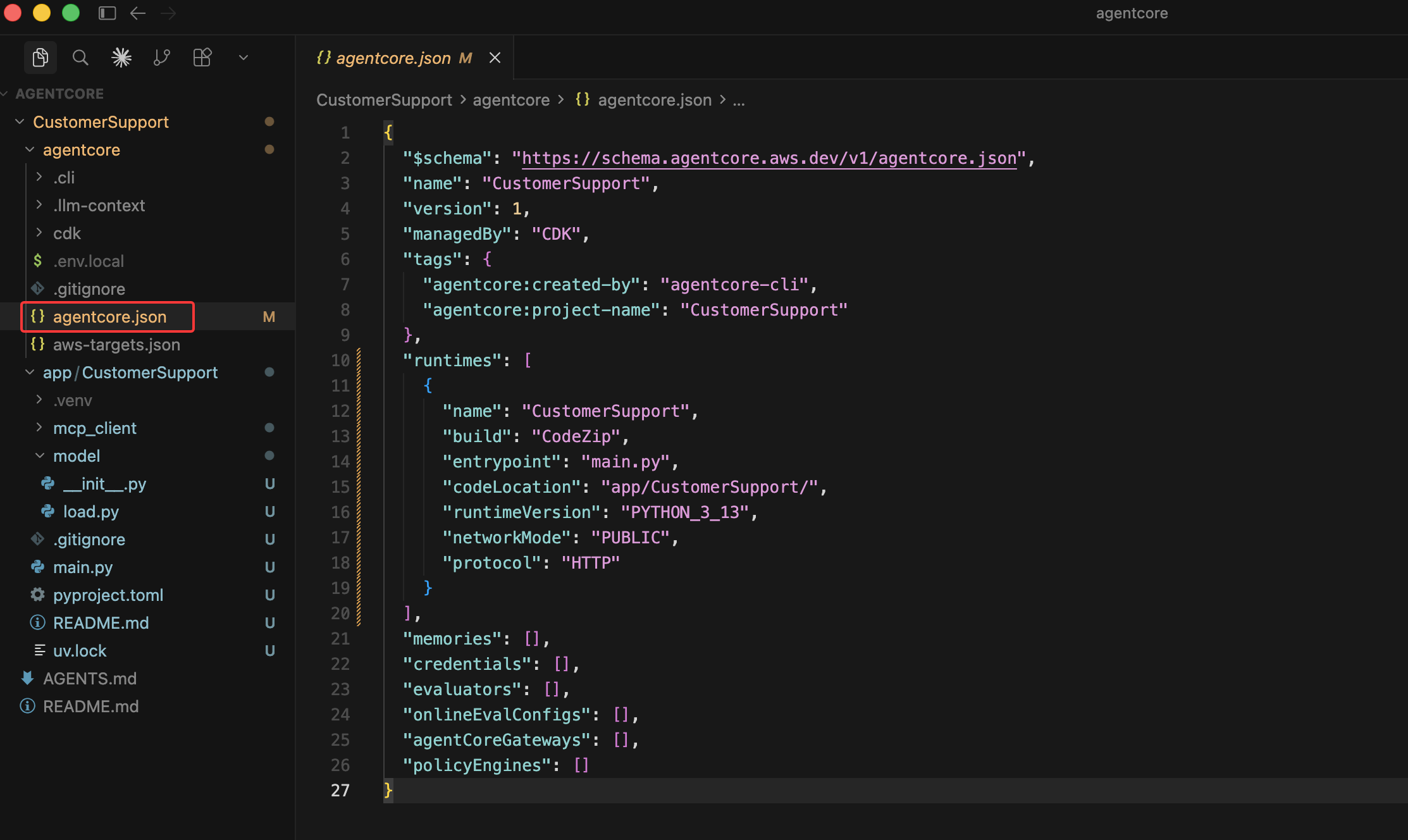
了解 agentcore/ 子目录
agentcore/.llm-context/ — 包含只读 TypeScript 类型定义(agentcore.ts、aws-targets.ts),这些定义与 JSON 配置文件相对应。这些文件的存在是为了让 AI 编码助手(如 Kiro)能够理解项目配置的模式、验证规则和约束。我们不应该编辑这些文件——它们由 CLI 自动生成。
agentcore/.cli/ — 内部 CLI 状态目录:
deployed-state.json— 跟踪已部署的资源及其 ARN。CLI 使用此文件将本地配置映射到已部署的 AWS 资源(例如,runtime ID、memory ID、gateway URL)。初始为空({"targets": {}}),在agentcore deploy后会被填充。logs/— 来自agentcore dev会话的本地开发服务器日志。
agentcore/cdk/ — 一个完整的 AWS CDK
项目(TypeScript),CLI 使用它来部署我们的基础设施。当我们运行 agentcore deploy 时,CLI 会从此 CDK 代码生成 CloudFormation 模板并进行部署。它使用 @aws/agentcore-cdk L3 构造来创建 AgentCore 资源(runtimes、memories、gateways)。除非我们想要自定义超出 CLI 提供范围的基础设施,否则不需要编辑此内容。
编辑main.py
生成的项目附带了一个示例 add_numbers 工具和一个 Exa AI MCP 客户端。让我们用customer support工具替换示例工具。
在编辑器中打开 app/CustomerSupport/main.py, 将 main.py 的全部内容替换为以下内容:
from strands import Agent, tool
from bedrock_agentcore.runtime import BedrockAgentCoreApp
from model.load import load_model
from mcp_client.client import get_streamable_http_mcp_client

app = BedrockAgentCoreApp()
log = app.logger

# Exa AI MCP client for web search
mcp_clients = [get_streamable_http_mcp_client()]

# --- Customer Support Tools ---

RETURN_POLICIES = {
    "electronics": {"window": "30 days", "condition": "Original packaging required, must be unused or defective", "refund": "Full refund to original payment method"},
    "accessories": {"window": "14 days", "condition": "Must be in original packaging, unused", "refund": "Store credit or exchange"},
    "audio": {"window": "30 days", "condition": "Defective items only after 15 days", "refund": "Full refund within 15 days, replacement after"},
}

PRODUCTS = {
    "PROD-001": {"name": "Wireless Headphones", "price": 79.99, "category": "audio", "description": "Noise-cancelling Bluetooth headphones with 30h battery life", "warranty_months": 12},
    "PROD-002": {"name": "Smart Watch", "price": 249.99, "category": "electronics", "description": "Fitness tracker with heart rate monitor, GPS, and 5-day battery", "warranty_months": 24},
    "PROD-003": {"name": "Laptop Stand", "price": 39.99, "category": "accessories", "description": "Adjustable aluminum laptop stand for ergonomic desk setup", "warranty_months": 6},
    "PROD-004": {"name": "USB-C Hub", "price": 54.99, "category": "accessories", "description": "7-in-1 USB-C hub with HDMI, USB-A, SD card reader, and ethernet", "warranty_months": 12},
    "PROD-005": {"name": "Mechanical Keyboard", "price": 129.99, "category": "electronics", "description": "RGB mechanical keyboard with Cherry MX switches", "warranty_months": 24},
}

@tool
def get_return_policy(product_category: str) -> str:
    """Get return policy information for a specific product category.

    Args:
        product_category: Product category (e.g., 'electronics', 'accessories', 'audio')

    Returns:
        Formatted return policy details including timeframes and conditions
    """
    category = product_category.lower()
    if category in RETURN_POLICIES:
        policy = RETURN_POLICIES[category]
        return f"Return policy for {category}: Window: {policy['window']}, Condition: {policy['condition']}, Refund: {policy['refund']}"
    return f"No specific return policy found for '{product_category}'. Please contact support for details."

@tool
def get_product_info(query: str) -> str:
    """Search for product information by name, ID, or keyword.

    Args:
        query: Product name, ID (e.g., 'PROD-001'), or search keyword

    Returns:
        Product details including name, price, category, and description
    """
    query_lower = query.lower()
    # Search by ID
    if query.upper() in PRODUCTS:
        p = PRODUCTS[query.upper()]
        return f"{p['name']} ({query.upper()}): ${p['price']}, Category: {p['category']}, {p['description']}, Warranty: {p['warranty_months']} months"
    # Search by keyword
    results = [f"{pid}: {p['name']} - ${p['price']} - {p['description']}" for pid, p in PRODUCTS.items()
               if query_lower in p['name'].lower() or query_lower in p['description'].lower() or query_lower in p['category'].lower()]
    if results:
        return "Found products:\n" + "\n".join(results)
    return f"No products found matching '{query}'."

tools = [get_return_policy, get_product_info]

# Add MCP client (Exa AI web search) to tools
for mcp_client in mcp_clients:
    if mcp_client:
        tools.append(mcp_client)

# --- Agent Setup ---

_agent = None

def get_or_create_agent():
    global _agent
    if _agent is None:
        _agent = Agent(
            model=load_model(),
            system_prompt="""You are a helpful and professional customer support assistant for an e-commerce company.
Your role is to:
- Provide accurate information using the tools available to you
- Be friendly, patient, and understanding with customers
- Always offer additional help after answering questions
- If you can't help with something, direct customers to the appropriate contact

You have access to the following tools:
1. get_return_policy() - For return policy questions
2. get_product_info() - To look up product information and specifications
3. Web search - To search the web for troubleshooting help

Always use the appropriate tool to get accurate, up-to-date information rather than guessing.""",
            tools=tools
        )
    return _agent


@app.entrypoint
async def invoke(payload, context):
    log.info("Invoking Agent.....")
    agent = get_or_create_agent()
    stream = agent.stream_async(payload.get("prompt"))
    async for event in stream:
        if "data" in event and isinstance(event["data"], str):
            yield event["data"]


if __name__ == "__main__":
    app.run()
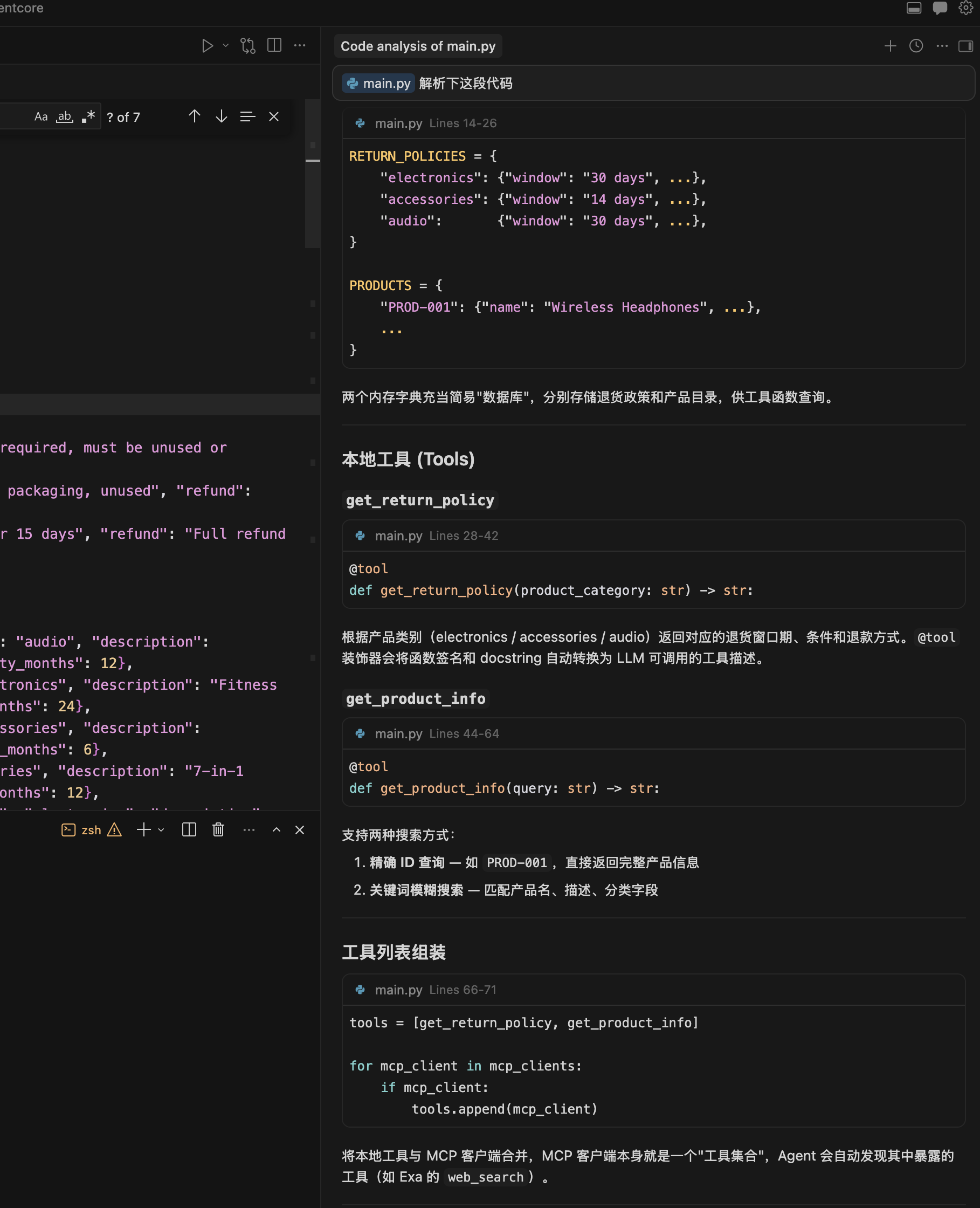
我们可以让AI工具解析下这段代码: