评估Agent质量
我们的客户支持 Agent 已部署并在生产环境中运行,具备完整的可观测性。但我们如何知道它是否真正表现良好?客户是否获得了准确的答案?Agent 是否选择了正确的工具?
我们将使用 AgentCore Evaluations 设置持续质量监控。这将自动评估我们的 Agent 在每次交互(或样本)中的性能。
Online Evaluations的工作原理
在线评估持续监控我们在生产环境中部署的 Agent:
- 采样 — 可配置百分比的会话被选中进行评估
- 评估 — 内置或自定义评估器评估每个采样会话
- 监控 — 结果显示在 CloudWatch GenAI Observability 仪表板中
| 内置评估器 | 衡量内容 |
|---|---|
| Builtin.GoalSuccessRate | Agent 实现客户目标的程度 |
| Builtin.Correctness | 响应的事实准确性 |
| Builtin.ToolSelectionAccuracy | Agent 是否选择了正确的工具 |
创建在线评估配置
在终端中,添加一个在线评估配置,使用所有三个内置评估器监控我们的 CustomerSupport Agent:
agentcore add online-eval \
  --name QualityMonitor \
  --runtime CustomerSupport \
  --evaluator Builtin.GoalSuccessRate Builtin.Correctness Builtin.ToolSelectionAccuracy \
  --sampling-rate 100 \
  --enable-on-create
我们应该看到:
Added online eval 'QualityMonitor'
注意: 使用
--sampling-rate 100(100%),以便评估每次交互。在生产环境中,我们通常会使用 10-20% 来平衡成本和覆盖率。--enable-on-create标志在部署后立即激活评估。
部署评估配置
agentcore deploy -y -v
这将与我们现有的资源一起部署在线评估配置。评估器将自动开始监控新的交互。
部署后,验证评估是否处于活动状态:
agentcore status
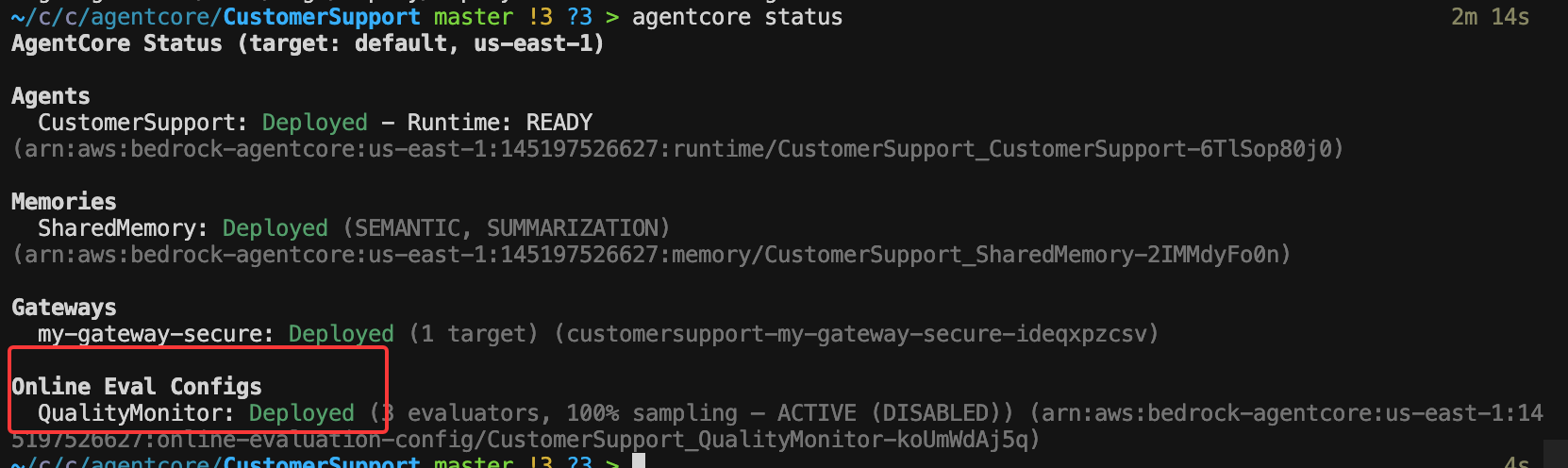
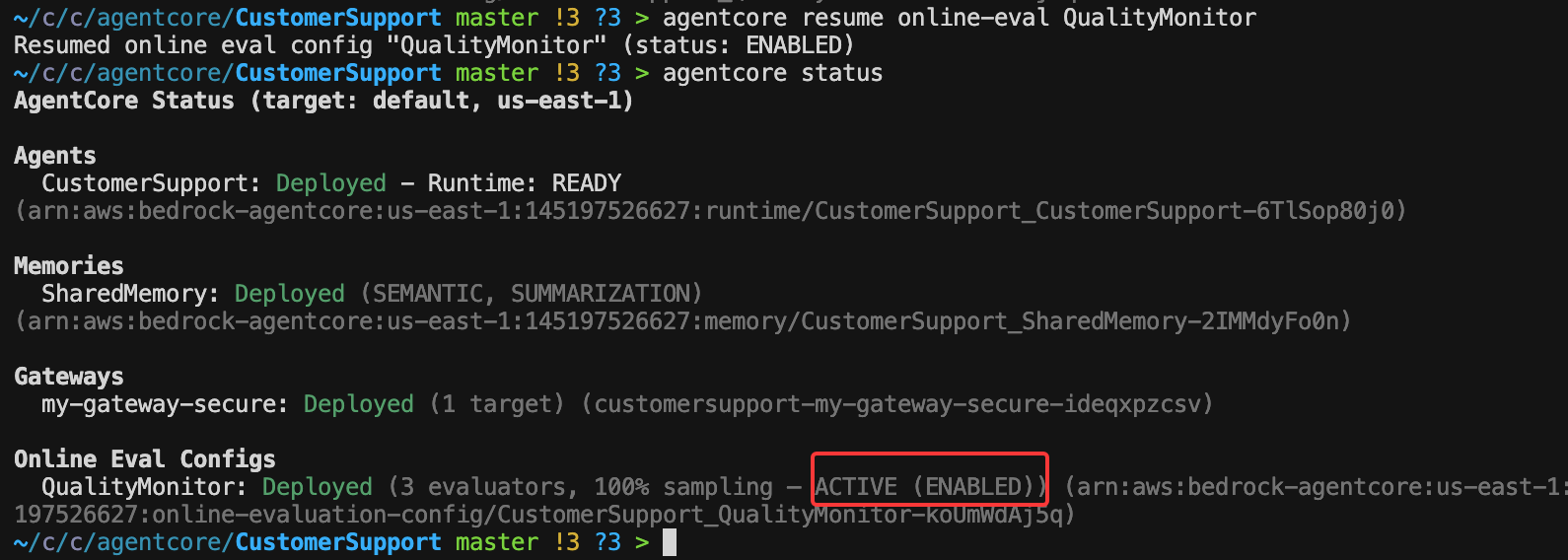
如果状态显示 DISABLED,请使用以下命令启用它:
agentcore resume online-eval QualityMonitor
enable完成后:
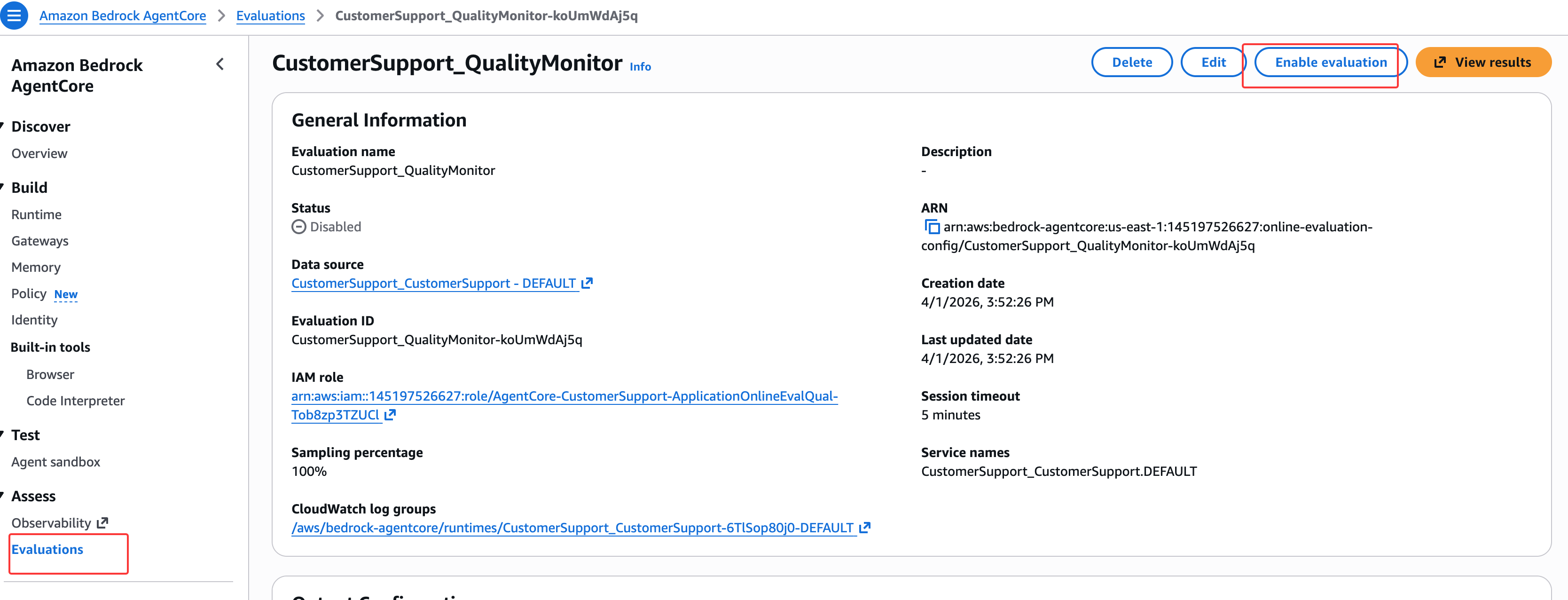
也可以到控制台去enable:
生成测试交互
由于Runtime现在已通过 Cognito 进行安全保护,请确保我们拥有有效的 token。如果我们的 token 已过期或我们处于新的终端会话中,请重新获取:
COGNITO_DISCOVERY_URL=$(aws ssm get-parameter \
  --name /app/customersupport/agentcore/cognito_discovery_url \
  --query 'Parameter.Value' --output text)

COGNITO_CLIENT_ID=$(aws ssm get-parameter \
  --name /app/customersupport/agentcore/client_id \
  --query 'Parameter.Value' --output text)

COGNITO_CLIENT_SECRET=$(aws cognito-idp describe-user-pool-client \
  --user-pool-id $(aws ssm get-parameter --name /app/customersupport/agentcore/pool_id --query 'Parameter.Value' --output text) \
  --client-id $COGNITO_CLIENT_ID \
  --query 'UserPoolClient.ClientSecret' --output text)

COGNITO_TOKEN_URL=$(aws ssm get-parameter \
  --name /app/customersupport/agentcore/cognito_token_url \
  --query 'Parameter.Value' --output text)

COGNITO_AUTH_SCOPE=$(aws ssm get-parameter \
  --name /app/customersupport/agentcore/cognito_auth_scope \
  --query 'Parameter.Value' --output text)

TOKEN=$(curl -s -X POST "$COGNITO_TOKEN_URL" \
  -H "Content-Type: application/x-www-form-urlencoded" \
  -d "grant_type=client_credentials&client_id=${COGNITO_CLIENT_ID}&client_secret=${COGNITO_CLIENT_SECRET}&scope=${COGNITO_AUTH_SCOPE}" \
  | python3 -c "import sys,json; print(json.load(sys.stdin)['access_token'])")

echo "Token obtained successfully"
在终端中,让我们生成多样化的交互,为评估器提供评估内容:
SESSION_EVAL=$(python3 -c 'import uuid; print(uuid.uuid4())')

# 产品信息查询
agentcore invoke "What can you tell me about the Smart Watch? What's the price and warranty?" \
  --session-id $SESSION_EVAL --bearer-token "$TOKEN" --stream

# 退货政策查询
agentcore invoke "I bought headphones last week but they're not working. What's the return policy for audio products?" \
  --session-id $SESSION_EVAL --bearer-token "$TOKEN" --stream

# 保修检查(通过 Gateway)
agentcore invoke "Check the warranty status for product PROD-001" \
  --session-id $SESSION_EVAL --bearer-token "$TOKEN" --stream

# 多工具查询
agentcore invoke "I want to return my USB-C Hub. What's the policy, and can you check if it's still under warranty?" \
  --session-id $SESSION_EVAL --bearer-token "$TOKEN" --stream

# 通用能力查询
agentcore invoke "What kind of support can you provide? List your capabilities." \
  --session-id $SESSION_EVAL --bearer-token "$TOKEN" --stream
注意: 评估结果在生成交互后需要几分钟时间处理。
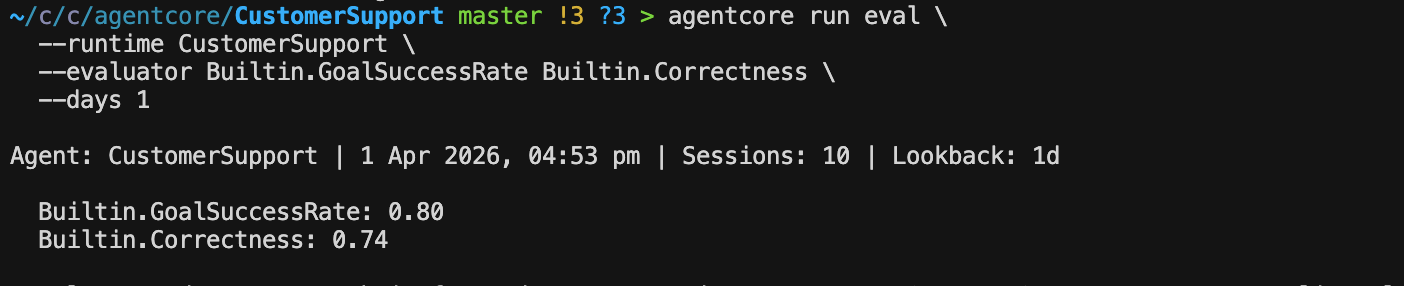
运行按需评估
除了持续在线评估外,我们还可以对历史 traces 运行按需评估:
agentcore run eval \
  --runtime CustomerSupport \
  --evaluator Builtin.GoalSuccessRate Builtin.Correctness \
  --days 1
这将使用指定的评估器评估过去一天的所有 traces。
查看评估结果
使用cli
agentcore evals history --runtime CustomerSupport --limit 5

查看结果:
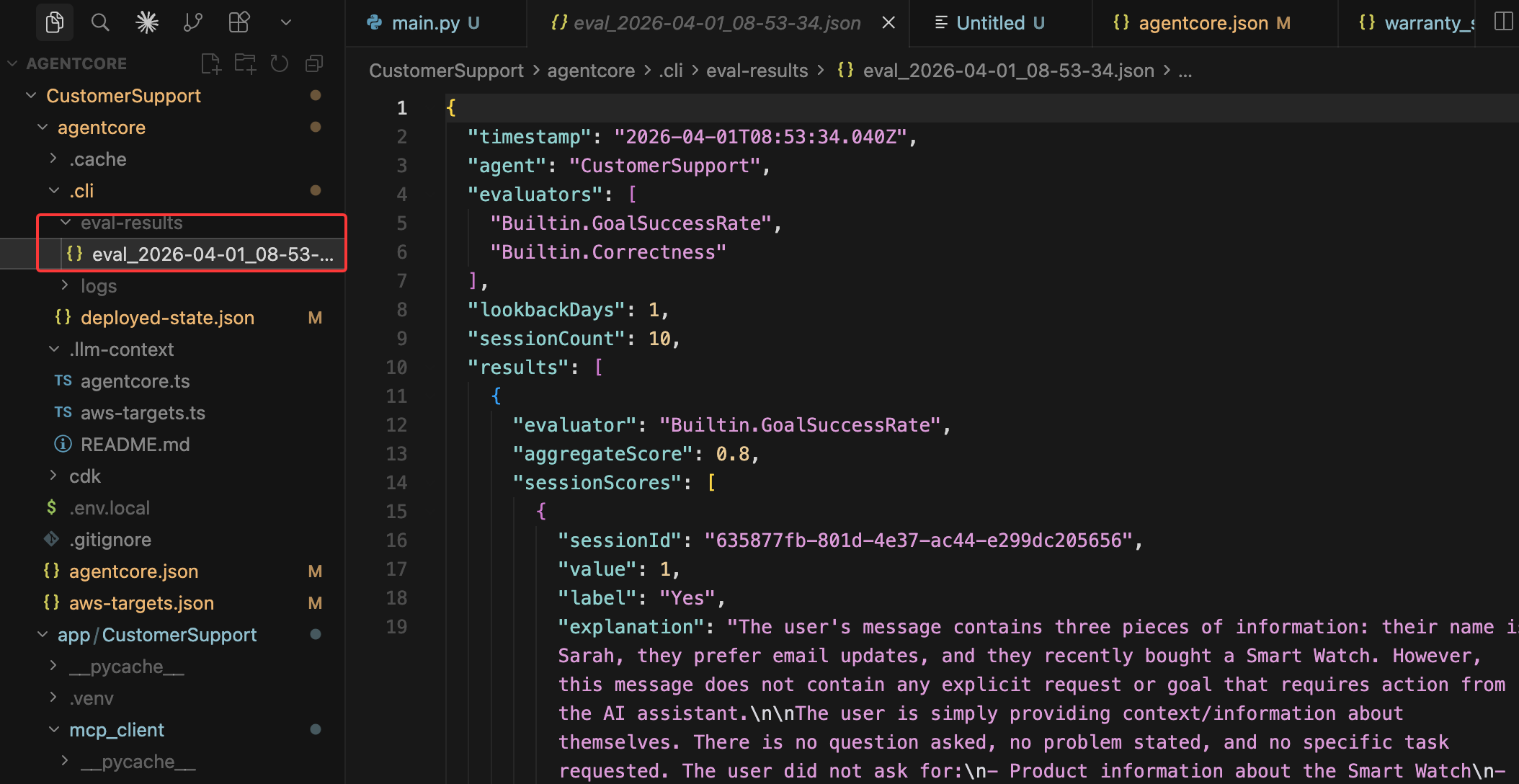
要获取包含趋势和详细分数的可视化仪表板:
- 导航到 CloudWatch 控制台
- 转到 GenAI Observability → Bedrock AgentCore
- 点击我们的 CustomerSupport Agent
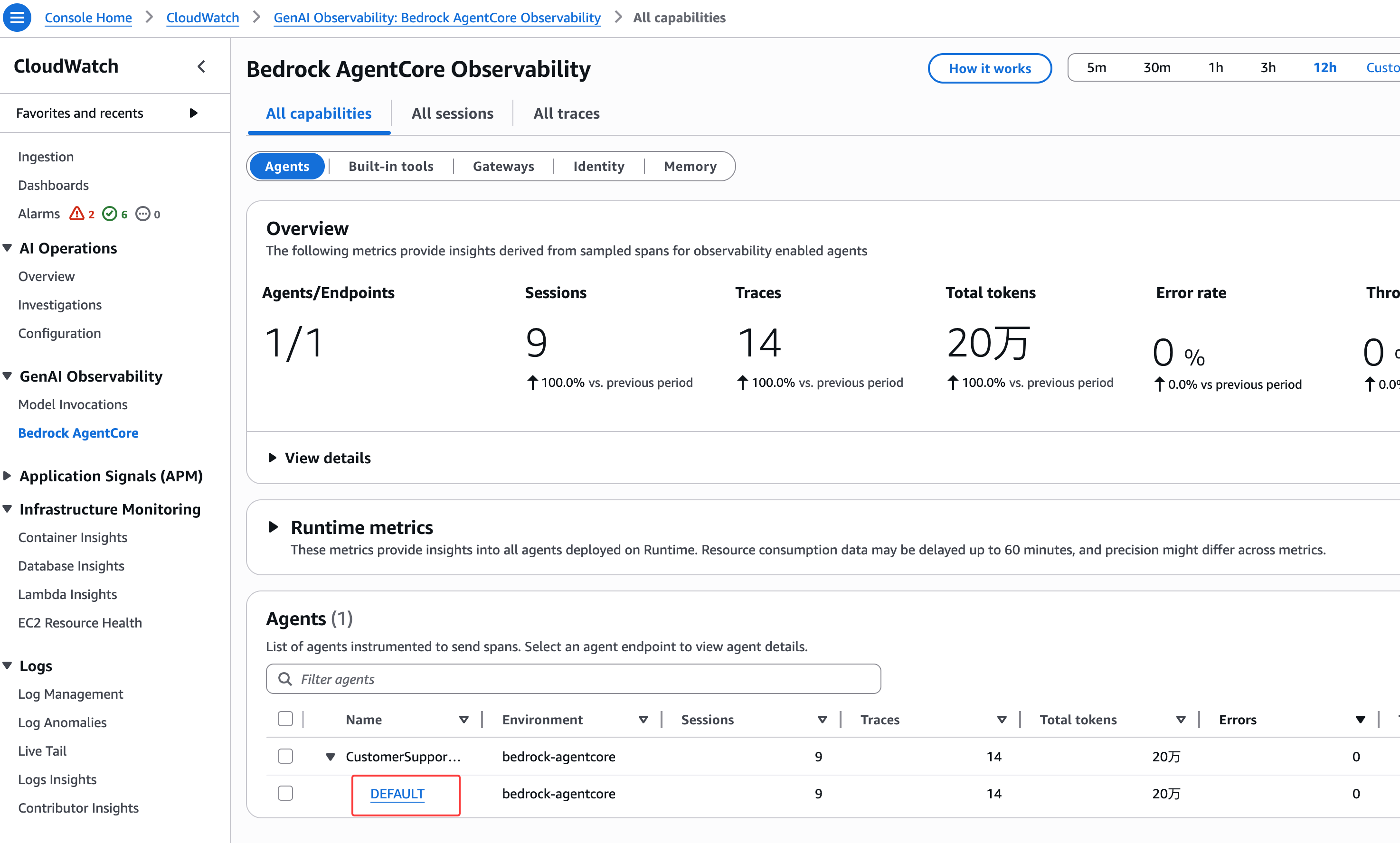
点击 DEFAULT 端点, 在 Evaluations中找到分数:
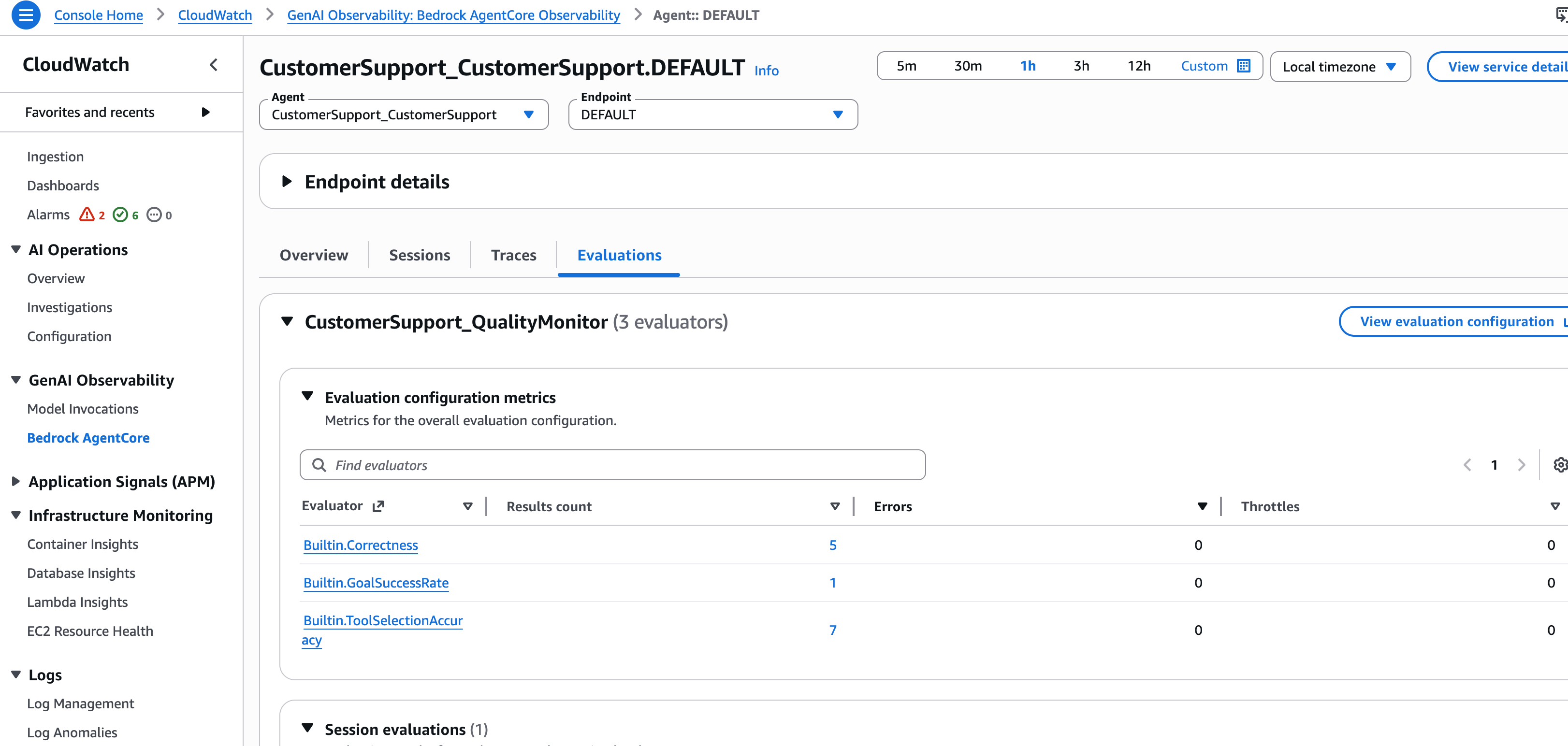
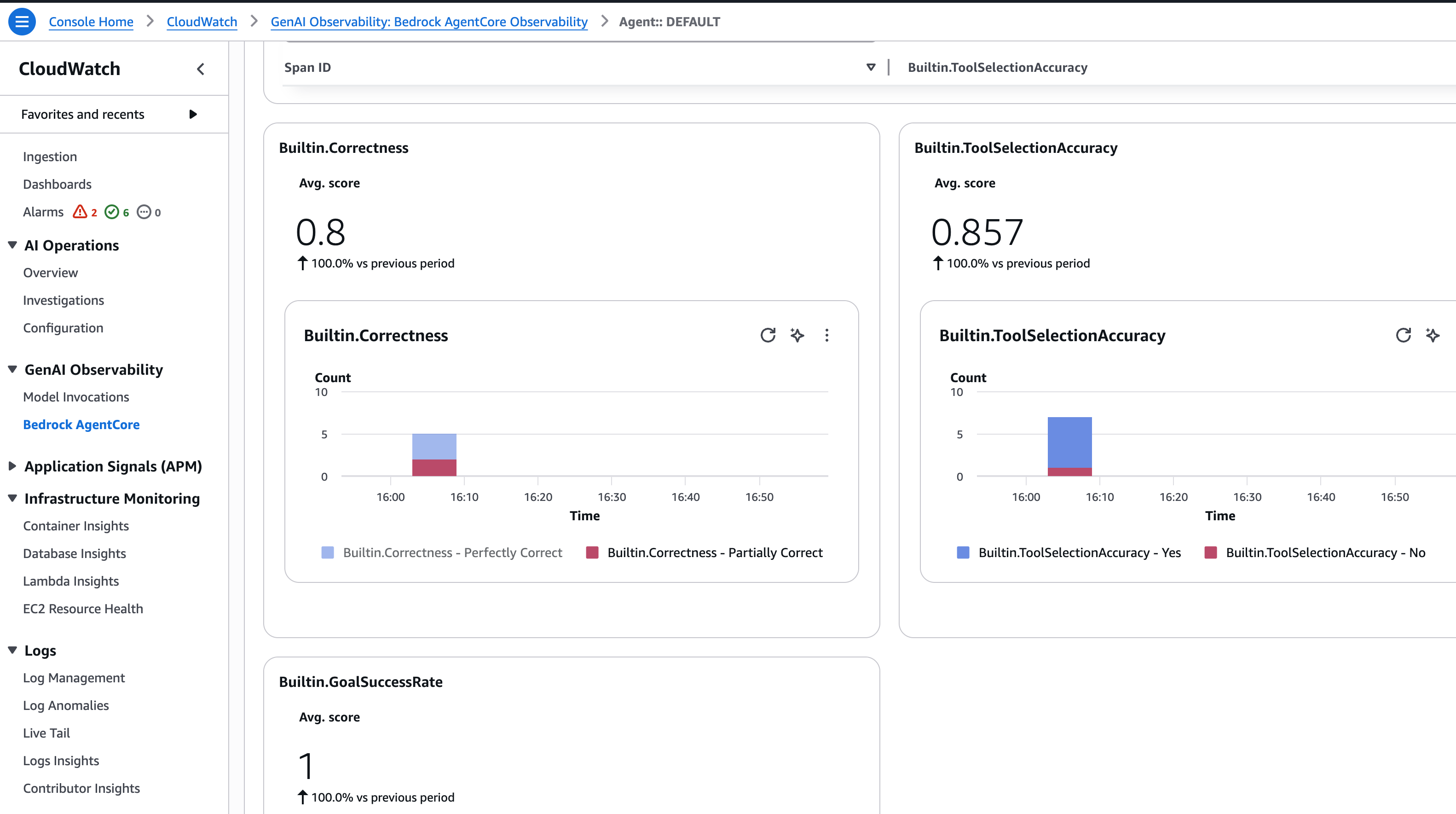
分数含义
| 分数范围 | 解释 | 行动 |
|---|---|---|
| 80-100% | 优秀 | 监控并维持 |
| 60-80% | 良好但可改进 | 审查低分会话 |
| 低于 60% | 需要关注 | 调查并修复根本原因 |
常见改进措施
- Goal Success Rate 低 → 优化系统提示,添加更具体的工具描述
- Correctness 低 → 更新产品数据,改进工具响应格式
- Tool Selection 低 → 改进工具描述,在系统提示中添加示例
暂停/恢复评估(可选)
我们可以暂停在线评估以降低成本:
# 暂停
agentcore pause online-eval QualityMonitor

# 恢复
agentcore resume online-eval QualityMonitor
架构
完成本实验后,我们部署的架构包含Evaluation:
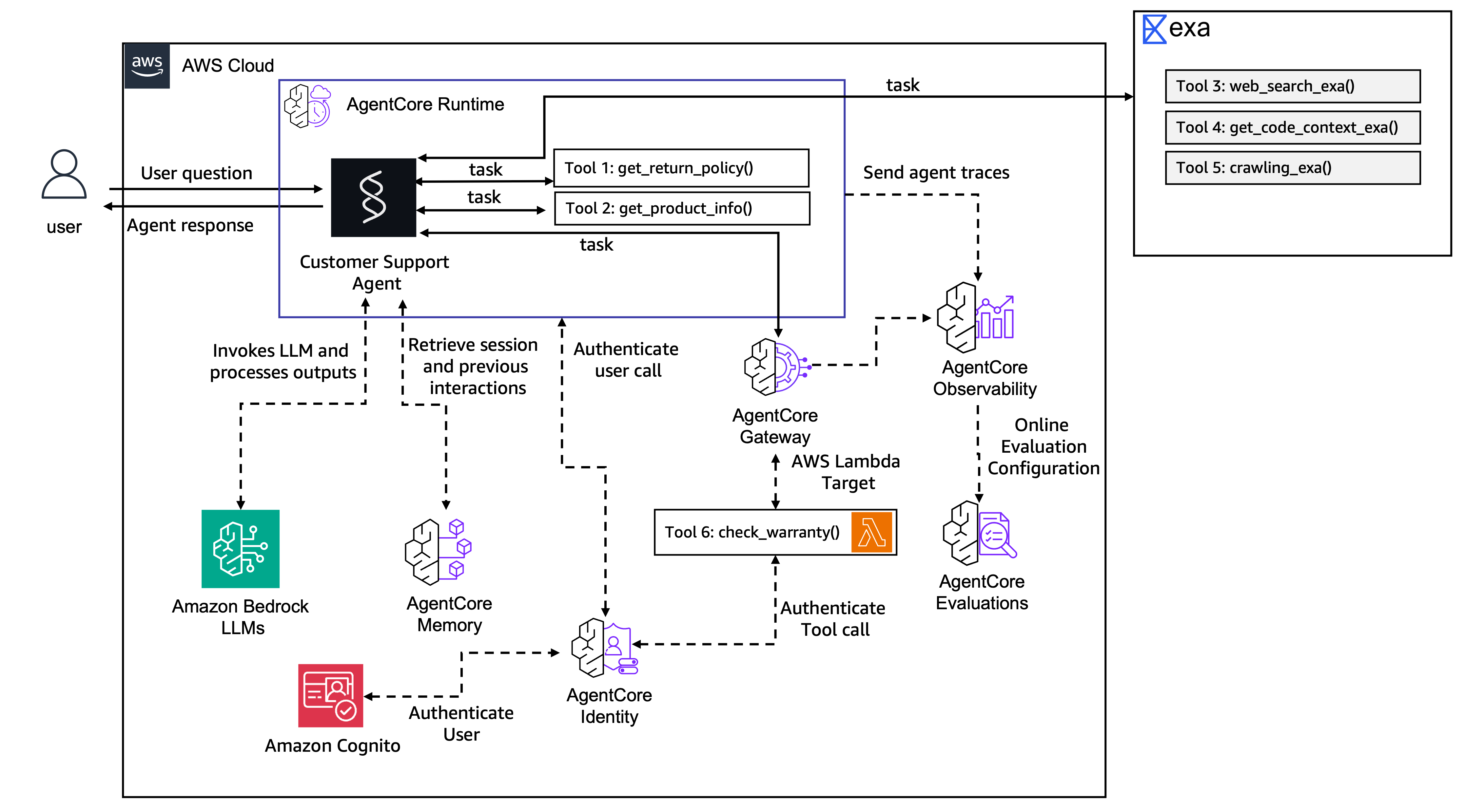
Client (with JWT token)
    ↓
Cognito validates token
    ↓
AgentCore Runtime (CustomerSupport)
    ├── Session management (isolated per session-id)
    ├── Memory (SEMANTIC + SUMMARIZATION)
    ├── Local tools: get_return_policy(), get_product_info()
    ├── MCP Client → Exa AI (web search)
    └── MCP Client → AgentCore Gateway (secured) → Lambda: check_warranty
                          ↓
                    CloudWatch (traces, logs, metrics)
                          ↓
                    AgentCore Evaluations (QualityMonitor)
                      ├── Builtin.GoalSuccessRate
                      ├── Builtin.Correctness
                      └── Builtin.ToolSelectionAccuracy